

InFocus
The whole project in view. Your part in focus.
Everyone has something that needs to get done.
Here’s a new way to look at it.
InFocus starts with what you’re trying to accomplish, shows how all the pieces connect, and brings the part that needs you into focus.
The familiar problem
Somewhere between no system and too much system, the work disappears.
Some people are holding everything in their head, notes, texts, spreadsheets, and disconnected lists. Other people are learning an entire project-management system just to understand what they need to do next.
Either way, everyone sees fragments. Relationships vanish. Waiting gets buried in messages. Someone has to remember how everything connects. A giant list makes every task look equally important.
- Notes app on phone
- text from vendor
- launch-list-final-v2.xlsx
The tool can become another project to manage. InFocus puts the relationships back in view.
Projects are everywhere
Work projects aren’t the only projects.
Not everyone is a project manager. Almost everyone has things they need to manage.
- 01
Moving
- 02
Planning a wedding
- 03
Taking a camping trip
- 04
Launch something new
How the Map works
Start with the destination. See everything between here and done.
- 01
Destination
What are we trying to accomplish?
- 02
Areas
What are the major parts?
- 03
Components
What lives inside each part?
- 04
Tasks
What actually needs to happen?
Move from the whole to the part you need without losing where that part belongs. Zoom back out, and the larger picture is still there.
Your part, in focus
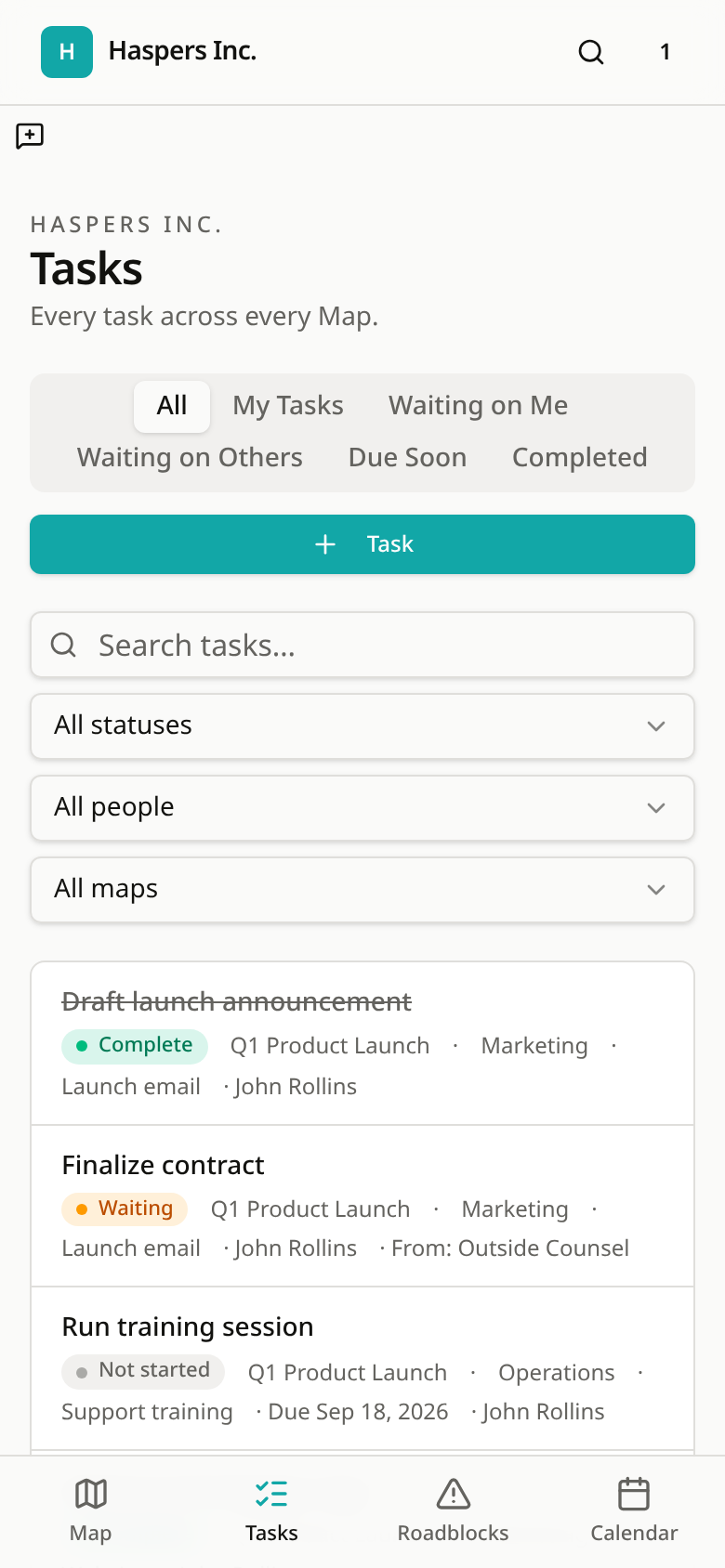
The whole Map may have 80 tasks. You may only need these seven.
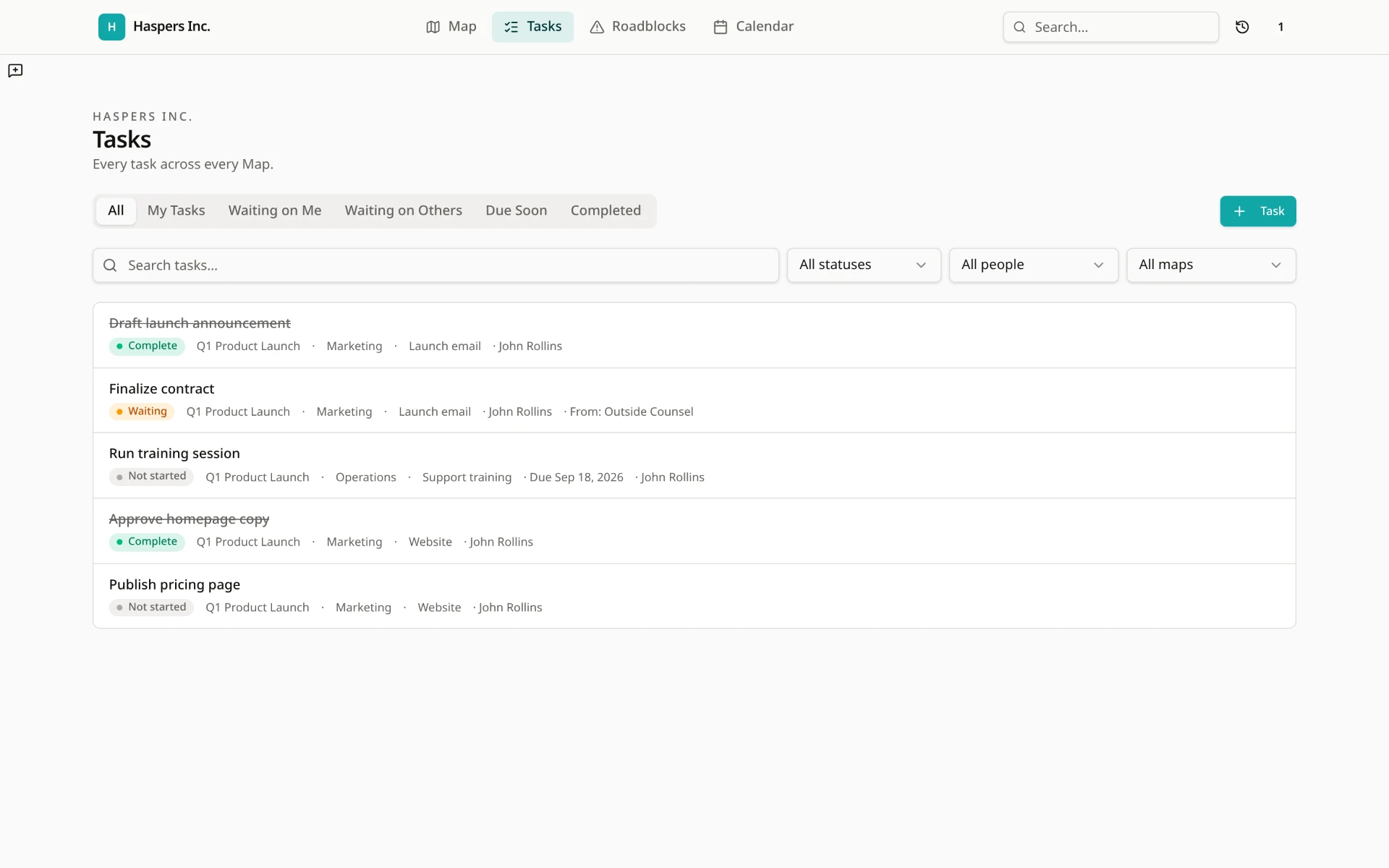
My Tasks, Waiting on Me, Waiting on Others, Due Soon, and Completed turn the shared whole into a useful personal view. Open a task and its Map, owner, status, due date, and what’s needed remain connected.
The complete product
Easy to enter. Robust enough to run real work.
The Map keeps the whole in view. The rest of InFocus helps the work move.
See what needs attention
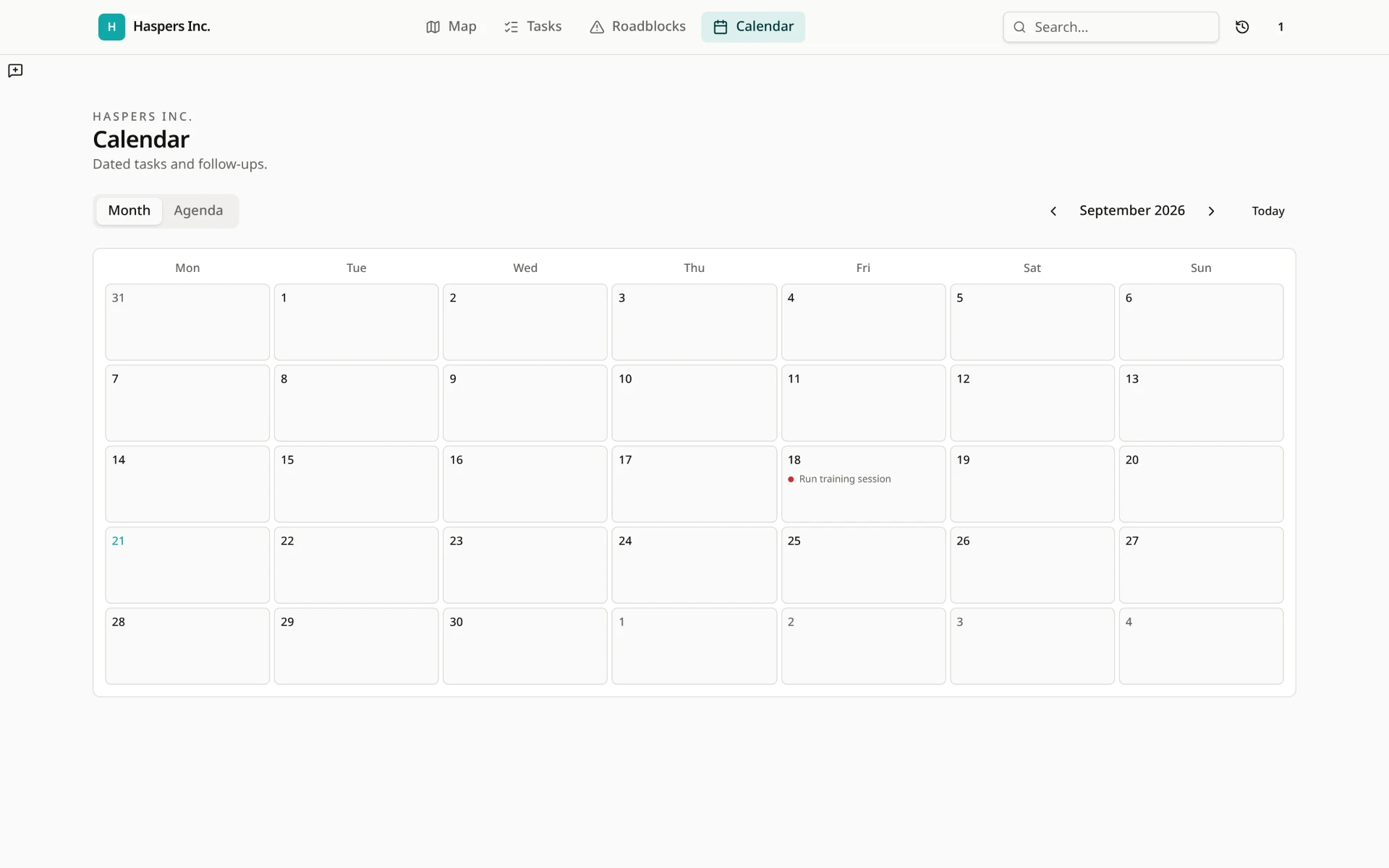
My Tasks, Due Soon, search, Calendar, status, and priority make the next move clear.
See what is stopping progress
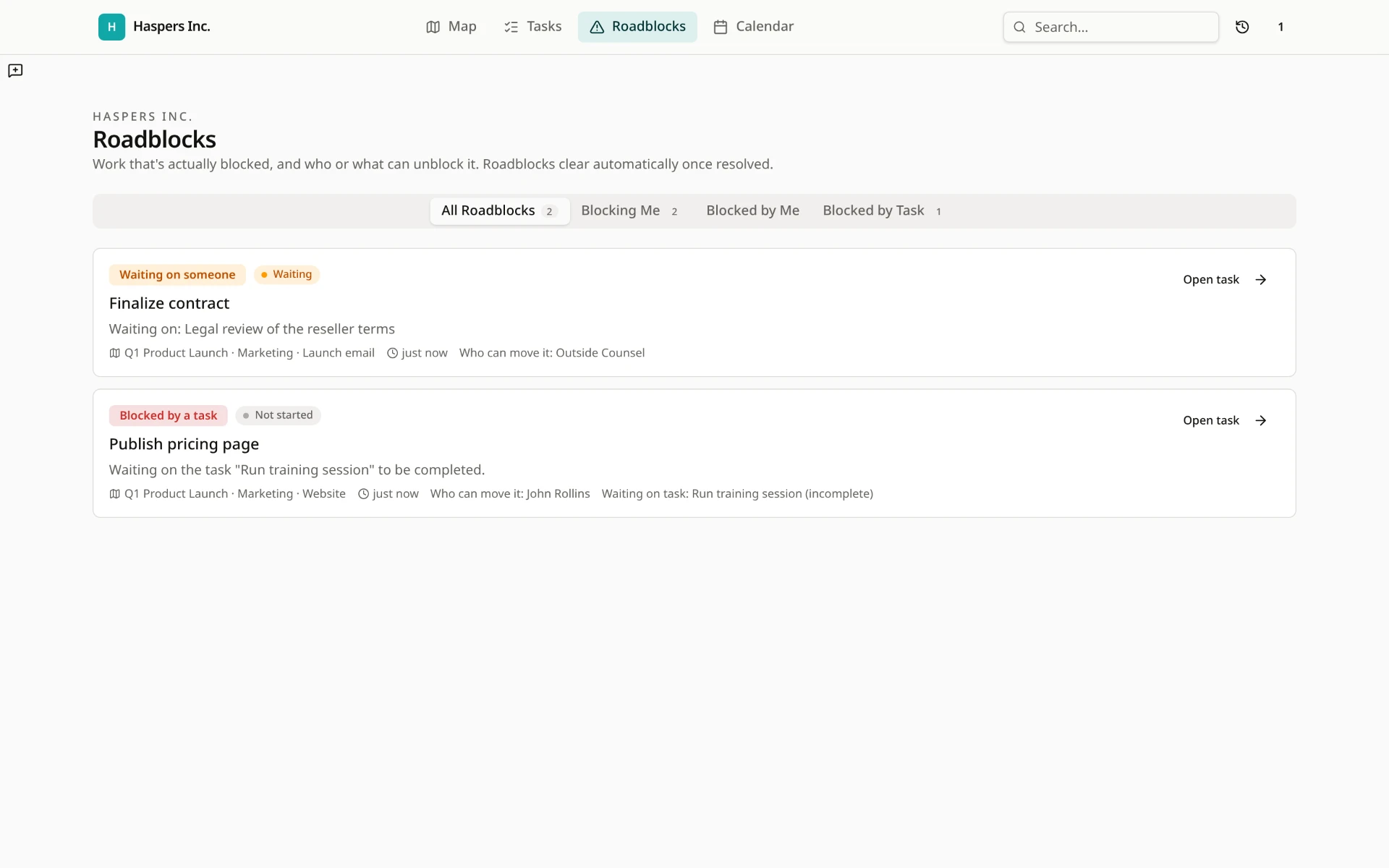
Blocking Me, Blocked by Me, and Blocked by Task keep waiting details, dependencies, and Needed From attached to the work they hold up.
Bring in the people involved
Admins, Members, and Viewers can own tasks, provide what is needed, leave notes and comments, and share links or attachments. People can take part without having to become project-management experts.
Keep the work understandable
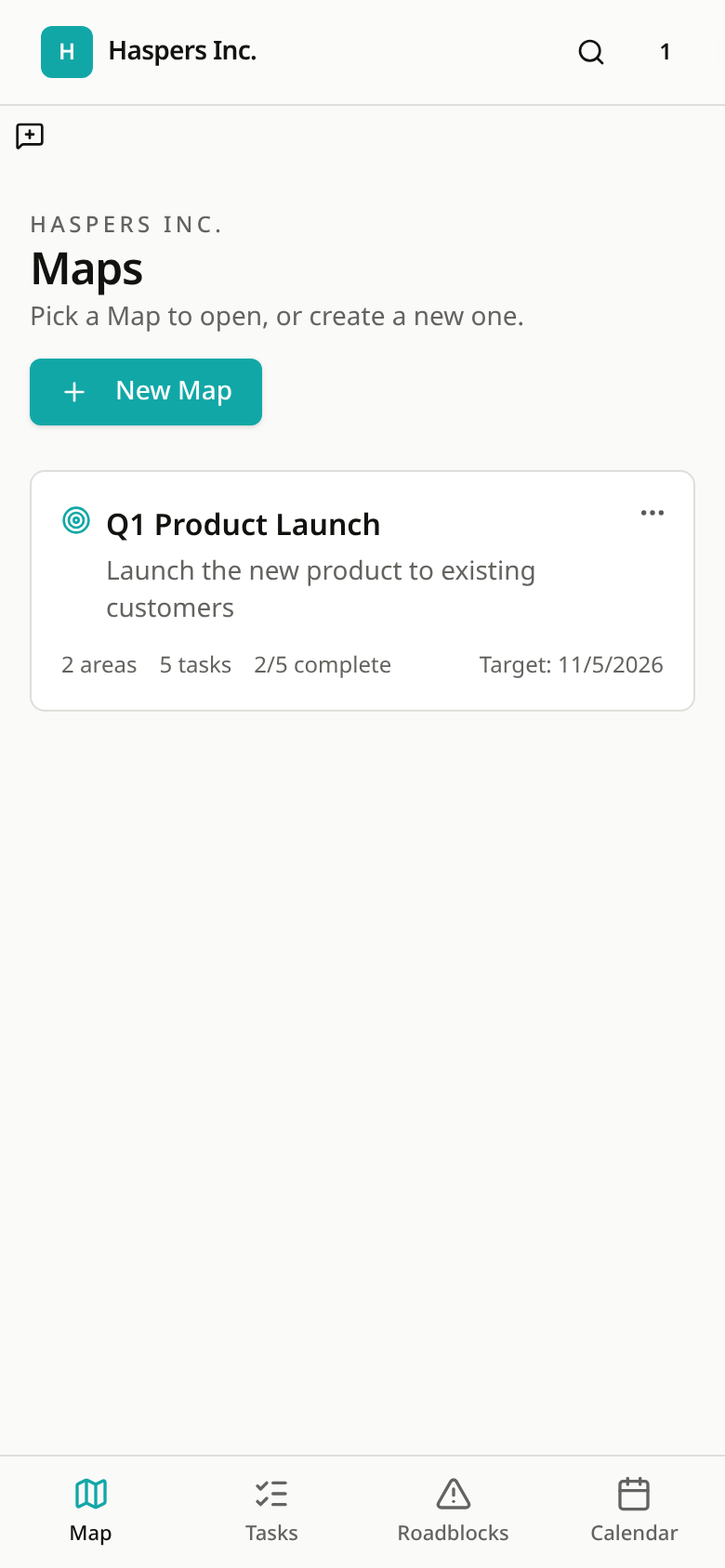
The whole Map, Area and Component views, activity history, archived Maps, and mobile navigation keep the context close.
Why InFocus exists
I built the thing I kept looking for.
I’ve spent years working as a consultant and project manager across different companies, teams, and kinds of work. I’ve used nearly every kind of project-management tool.
Some are made for the person managing the project. Some are made for executives. Others are built for teams that live in task lists. But I kept seeing the people doing the work struggle with the tool before it could help them.
I needed something that matched how my own brain handles complexity. I want to see the whole, understand where each piece belongs, then focus on the part that matters. That professional and personal need became InFocus.
You should not need a project-management certificate or hours of setup to understand what needs to happen next.
John Rollins, creator of InFocus
Simple pricing
Free means useful.
InFocus does not charge you to collaborate or hold the core product behind a paywall or trial clock.
Free
$0
The actual product, ready for real work.
- No credit card or trial clock
- One workspace
- Three active Maps
- Unlimited archived Maps
- Unlimited Admins, Members, and Viewers
- The full Map experience
- Areas, Components, and Tasks
- Ownership and Needed From
- Waiting views and Roadblocks
- Dependencies
- Calendar
- Notes and comments
- Attachments and links
- Search and activity history
- Task-list export
- Duplication and archiving
- Sample Map
- Mobile experience
- In-app notifications
Paid
$5/month or $50/year
For people using InFocus enough to move faster and repeat the process.
- Unlimited active Maps
- Multiple workspaces
- Ready-made templates
- Save any Map as a reusable template
- The InFocus Guide
Free helps you make things happen. Paid helps you do it again, faster.
After the click
You can be looking at your first Map in minutes.
- 01
Create a free account
- 02
Create your workspace
- 03
Start from scratch or load the sample Map
- 04
Invite whoever is involved
- 05
See the whole, then focus on what needs each person
The Q1 Product Launch sample is already available under Settings → Demo data → Load a sample Map.
What are you trying to make happen?
Put the whole thing in view. Bring your part into focus.
Try InFocus freeNo card. No clock. No charge for inviting the people involved.